Search Performance
Connect Google Search Console and see clicks, impressions, CTR, average position, top pages, and search opportunities in one view.
Search intelligenceONEBoard brings SEO intelligence, Google Search Console performance, passive security analysis, site management, and AI-powered workflows into one focused desktop experience.
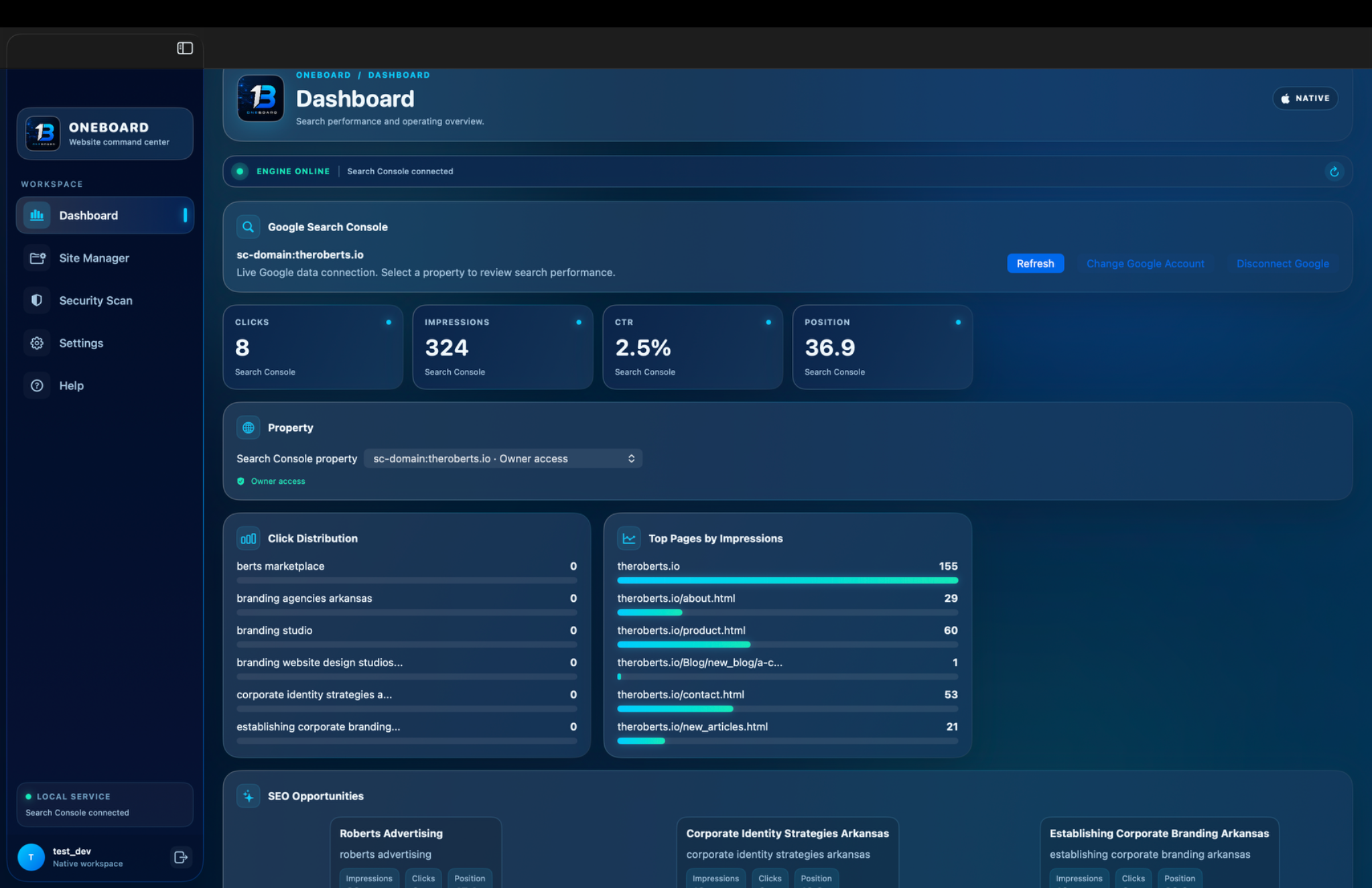
Stop jumping between dashboards, browser tabs, and disconnected tools. ONEBoard gives your website operations a single visual command center.
Connect Google Search Console and see clicks, impressions, CTR, average position, top pages, and search opportunities in one view.
Search intelligenceReview DNS resolution, HTTPS behavior, TLS information, HSTS, security headers, exposed technologies, and recommendations.
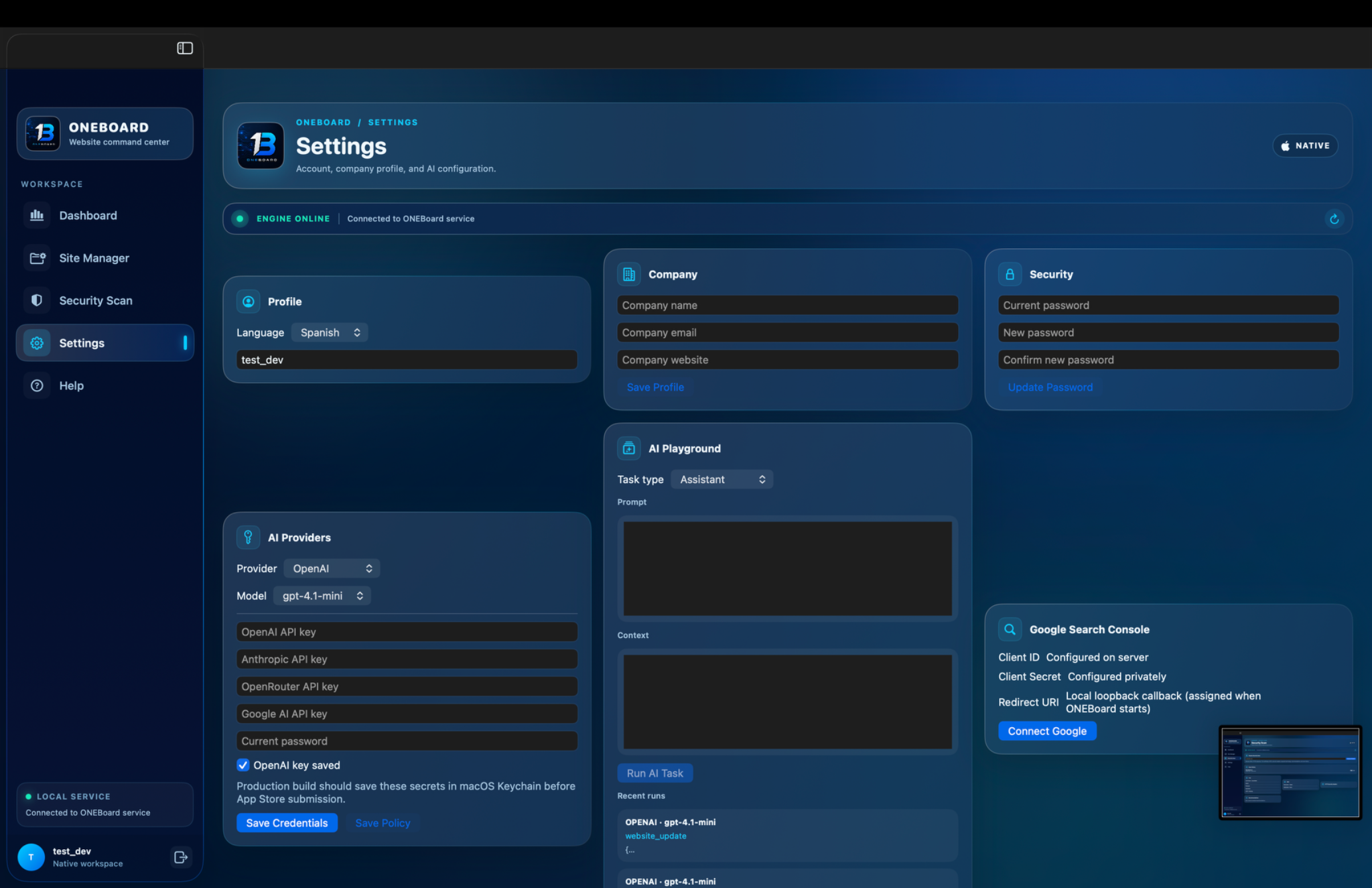
Security visibilityConfigure AI providers and run focused tasks for website operations, content workflows, analysis, and productivity.
AI-assisted workflowsKeep your website workspace organized and move between projects without losing operational context.
Manage your sitesKeep a record of previous security checks so you can compare findings and monitor changes over time.
Track changesConfigure your profile, company information, AI providers, credentials, and Google Search Console connection from one place.
One control layerDesigned around the same visual language as the native ONEBoard experience: dark glass surfaces, electric blue accents, compact information panels, and operational data that stays easy to scan.
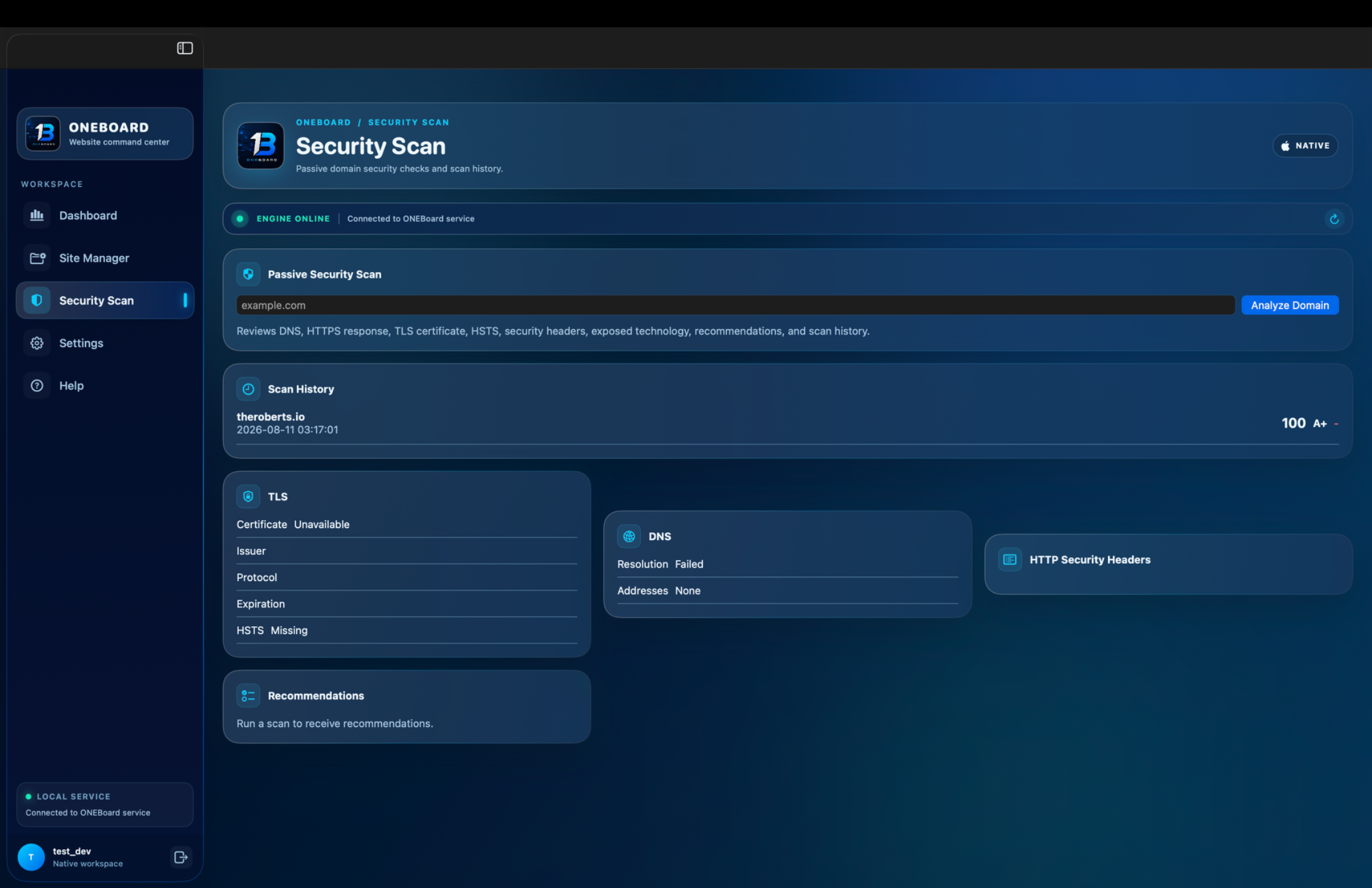
ONEBoard's passive security workflow reviews public-facing signals such as DNS, HTTPS responses, TLS certificates, HSTS, security headers, and exposed technologies. Use the findings to identify areas that deserve attention.
Connect your website environment and Google Search Console account.
Review search performance, site signals, security findings, and opportunities.
Turn insights into website updates and focused AI-assisted workflows.
Download ONEBoard and bring your website's search intelligence, security visibility, and AI workflows into a focused native workspace.
 ONEBOARD
WEBSITE COMMAND CENTER
ONEBOARD
WEBSITE COMMAND CENTER